Prismara
300+ models. One chat. iOS.

Every top AI model.
One beautiful chat.

Claude, GPT, Gemini and 300+ more, together in a single, elegant iOS app. Switch models mid conversation, generate images, attach documents, and pay with simple credits instead of juggling API keys.

Private by design. Sign in with Apple, no passwords, and your chats stay on your device.

Models from

  • OpenAI
  • Anthropic
  • Google
  • Meta
  • Mistral
  • DeepSeek
  • xAI
  • Qwen
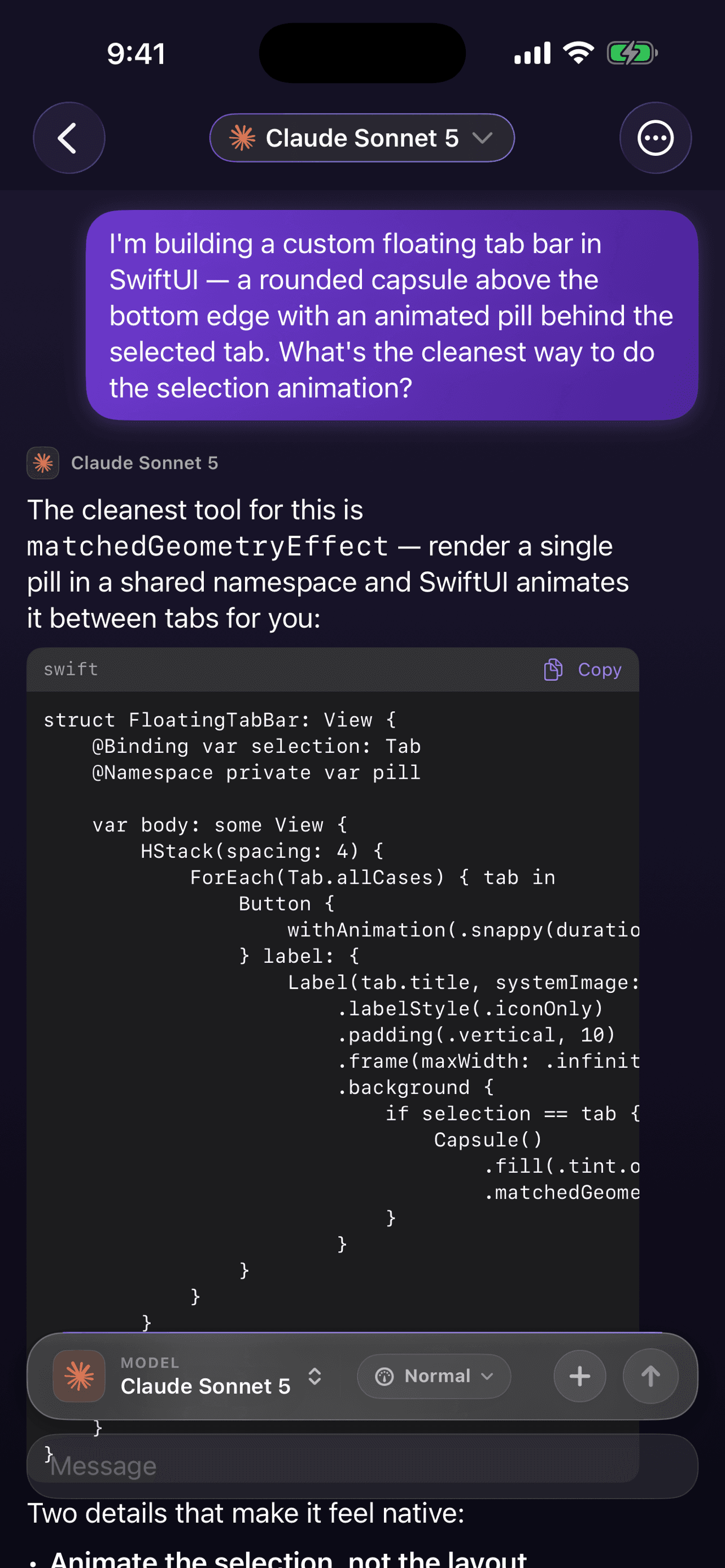
Prismara chat on iPhone: Claude Sonnet answering a SwiftUI question, with a model picker and reasoning effort control in the composer

The app

Designed for iPhone, down to the pixel

Real screens from Prismara on iOS. Dark, quick, and quiet about it.

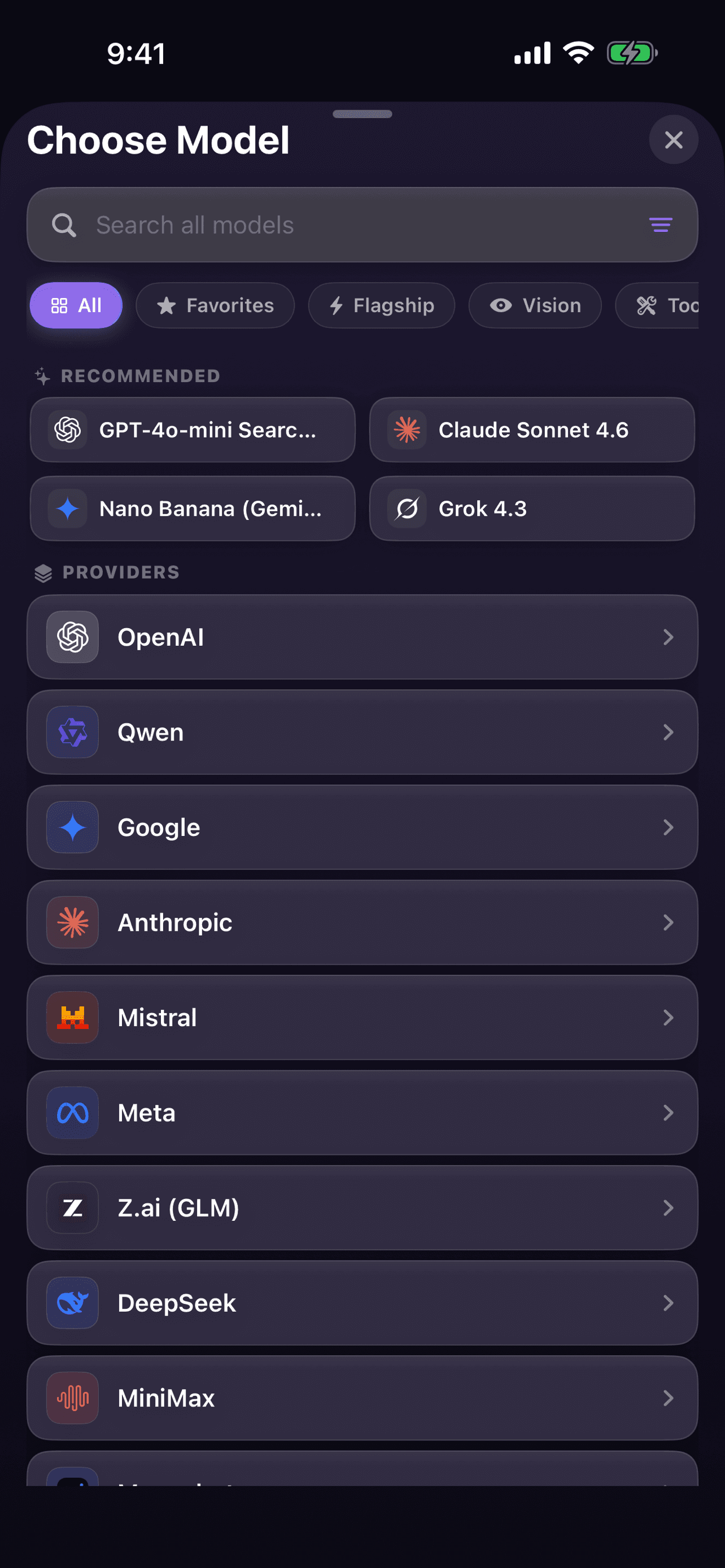
Prismara model picker showing recommended models and providers including OpenAI, Google, Anthropic, Mistral, Meta and DeepSeek

Pick any model

Search 300+ models across every major lab, with favorites and filters for flagship, vision and tools.

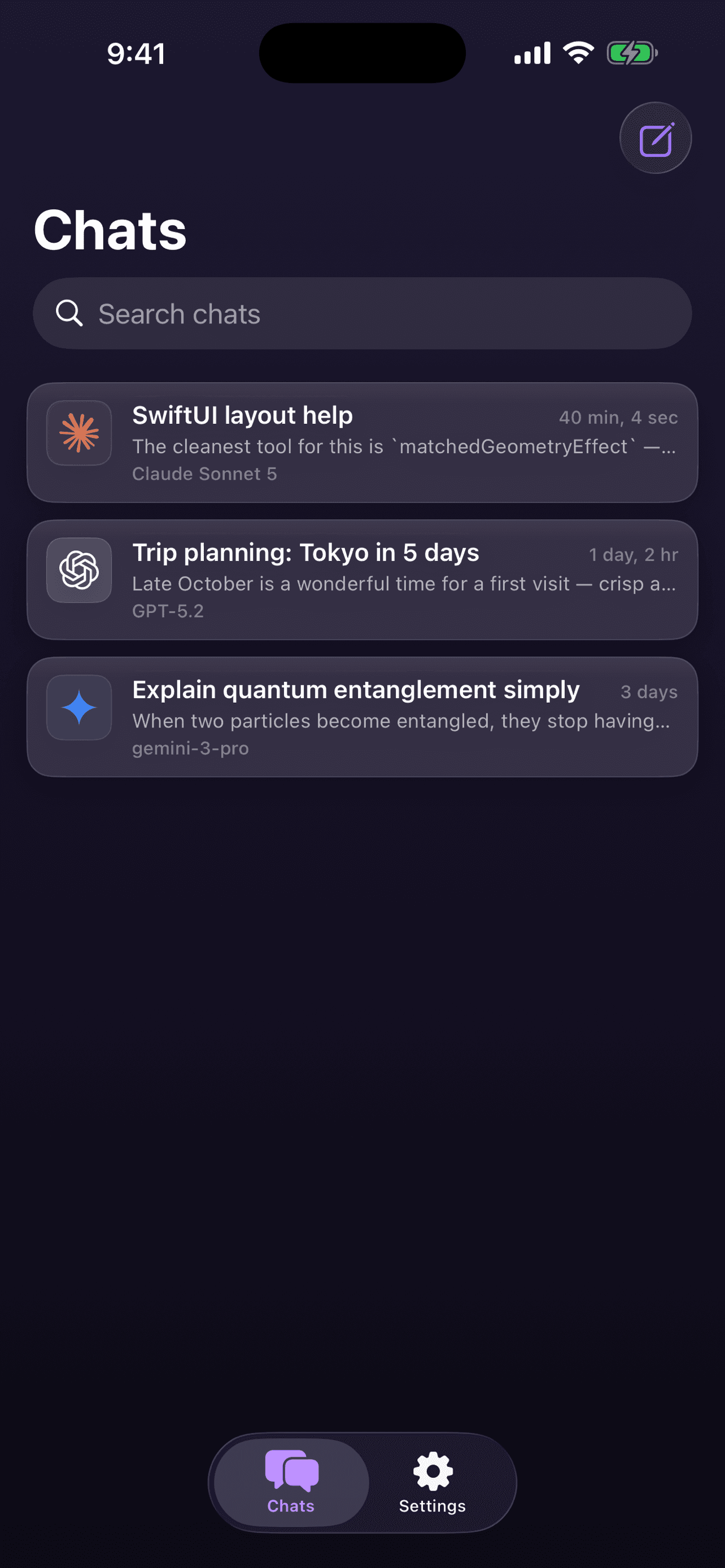
Prismara chats list with conversations using Claude Sonnet, GPT-5.2 and Gemini 3 Pro

Every chat, one place

Conversations with Claude, GPT and Gemini live side by side, each remembering its model.

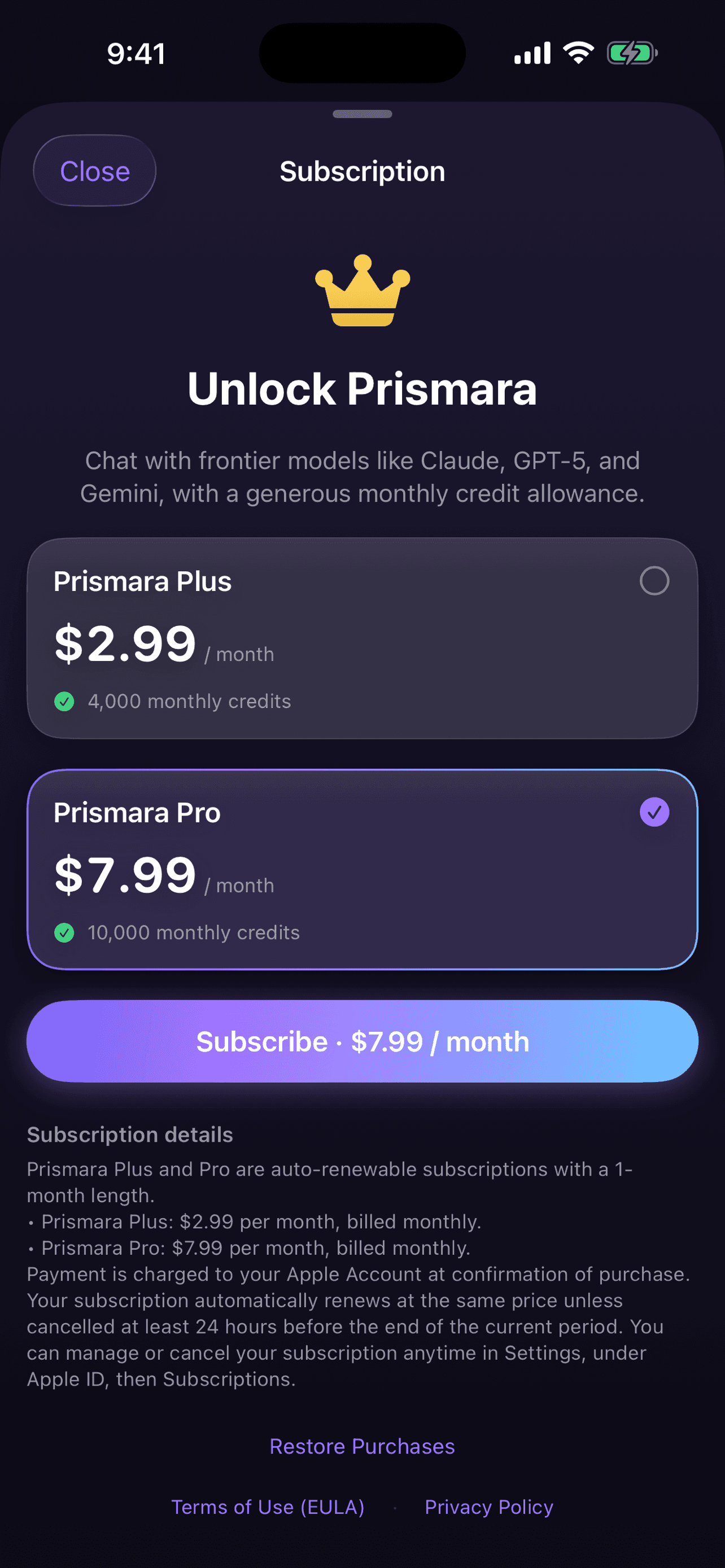
Prismara subscription screen showing Plus at $2.99 per month and Pro at $7.99 per month

Simple credit plans

One subscription, one pool of credits that works across every model. Managed by Apple.

Features

A premium AI chat, built for the way you work

Powerful where it counts, simple everywhere else.

Multi model

300+ models.
One conversation.

Every major model from OpenAI, Anthropic, Google, Meta, Mistral, DeepSeek, xAI and Qwen, together in a single chat. Switch mid conversation without losing context.

  • OpenAI
  • Anthropic
  • Google
  • Meta
  • Mistral
  • DeepSeek
  • xAI
  • Qwen
  • Microsoft
  • Cohere
  • Perplexity
  • NVIDIA
  • Reasoning effort control

    Dial each reply from Instant to Normal to Maximum. Fast answers when you want them, deep thinking when it matters.

  • Image generation

    Create images right inside the chat, alongside text. No separate app or tool to learn.

  • Attach photos, PDFs and documents

    Drop in a photo, a PDF, or a document and ask questions about it. The model reads it and replies in context.

  • Custom system prompts

    Shape how the assistant behaves with your own system prompts. Set the tone, role, and rules once.

  • Credit based usage

    No API keys to juggle. One pool of credits covers every model, and pricier models just use a few more.

  • Sign in with Apple

    Private by default. One tap to sign in, with no passwords, no email sign ups, and no tracking.

  • Your chats stay on device

    Conversations and attachments live locally on your iPhone. We do not keep a copy of your chat content on our servers.

How it works

From download to first answer in seconds

No setup, no keys, no friction.

  1. 01

    Sign in with Apple

    One tap, no password, no email form. Your account is created privately and instantly.

  2. 02

    Pick a model, or many

    Choose from 300+ models across every major lab, and set the reasoning effort per reply.

  3. 03

    Chat, create and attach

    Ask anything, generate images, and drop in photos, PDFs and documents for context.

  4. 04

    Pay with simple credits

    Start free with 500 credits. Upgrade any time, with no API keys to manage.

Pricing

One pool of credits. Every model included.

Start free with 500 credits. Upgrade for a monthly allowance whenever you need more.

Free

Everything you need to explore the full model lineup.

$0to start

500 credits to start

  • Access to all 300+ models
  • Reasoning effort control
  • Image generation
  • Attach photos, PDFs and documents
  • Custom system prompts

Billed by Apple. Cancel anytime in Settings.

Plus

For everyday chats across many models.

$2.99per month

4,000 monthly credits

  • Everything in Free
  • 4,000 credits, refreshed monthly
  • Room for everyday use across models
  • Billed by Apple, cancel anytime

Billed by Apple. Cancel anytime in Settings.

Most popular

Pro

Maximum headroom for frontier model workloads.

$7.99per month

10,000 monthly credits

  • Everything in Plus
  • 10,000 credits, refreshed monthly
  • Headroom for frontier and reasoning models
  • Best for daily, heavy use

Billed by Apple. Cancel anytime in Settings.

How credits work: credits are one shared pool that works across every model. Lightweight models sip them, frontier and reasoning heavy models use more, and you always see what you have left.

FAQ

Questions, answered

Everything you might want to know before you start.

Which AI models does Prismara support?

More than 300 models across every major lab, including OpenAI (GPT), Anthropic (Claude), Google (Gemini), Meta, Mistral, DeepSeek, xAI and Qwen, plus many more. You can switch between them inside a single conversation.

What is reasoning effort control?

For supported models you can choose how hard the model thinks before answering: Instant for fast replies, Normal for a balance, and Maximum for the deepest reasoning. You set it per reply.

How does credit based pricing work?

Instead of managing API keys, you get one pool of credits that works across every model. Lightweight models barely use any, while frontier or reasoning heavy models use more. The Free plan starts you with 500 credits, Plus includes 4,000 credits per month for $2.99, and Pro includes 10,000 credits per month for $7.99.

Where are my chats stored?

Your conversations and attachments stay on your device. We do not keep a copy of your chat content on our servers. To generate a reply, the message you send is transmitted to the AI provider you chose, and once the answer comes back it is stored locally on your iPhone.

Do I need to create a password?

No. Prismara uses Sign in with Apple as the only sign in method, so there are no passwords and no email sign up forms. You can also choose to hide your email with Apple's private relay.

Can I attach files and generate images?

Yes. You can attach photos, PDFs and documents and ask questions about them, and you can generate images right inside the chat.

How do I manage or cancel a subscription?

Subscriptions are auto renewing and handled by Apple. You can manage or cancel any time in iOS Settings, your Apple ID, then Subscriptions. Cancellation takes effect at the end of the current paid period.

When is Prismara available?

Prismara has been submitted to the App Store and is launching soon. There is no public download link just yet, so check back here for the launch announcement.

The whole AI world, in your pocket.

Prismara is coming soon to the App Store. Be among the first to chat with every top model in one beautiful place.